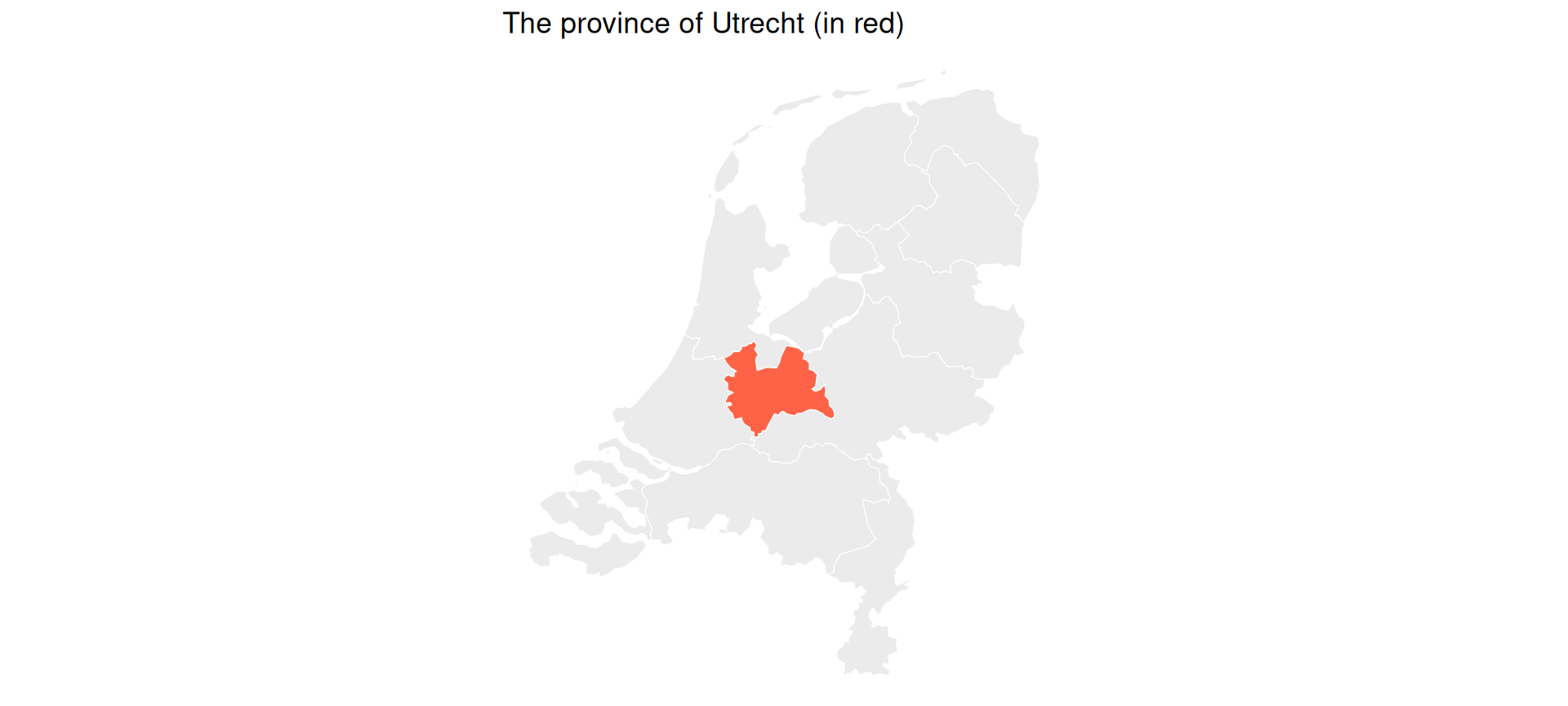
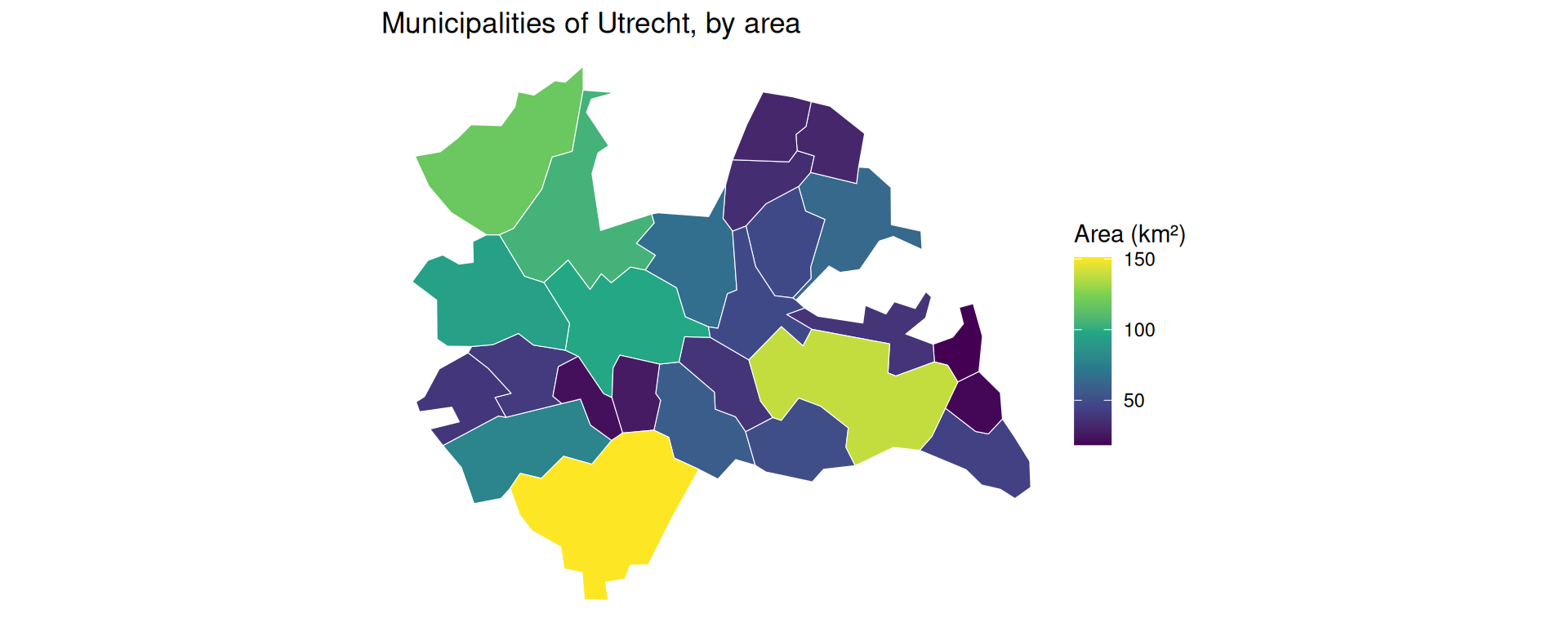
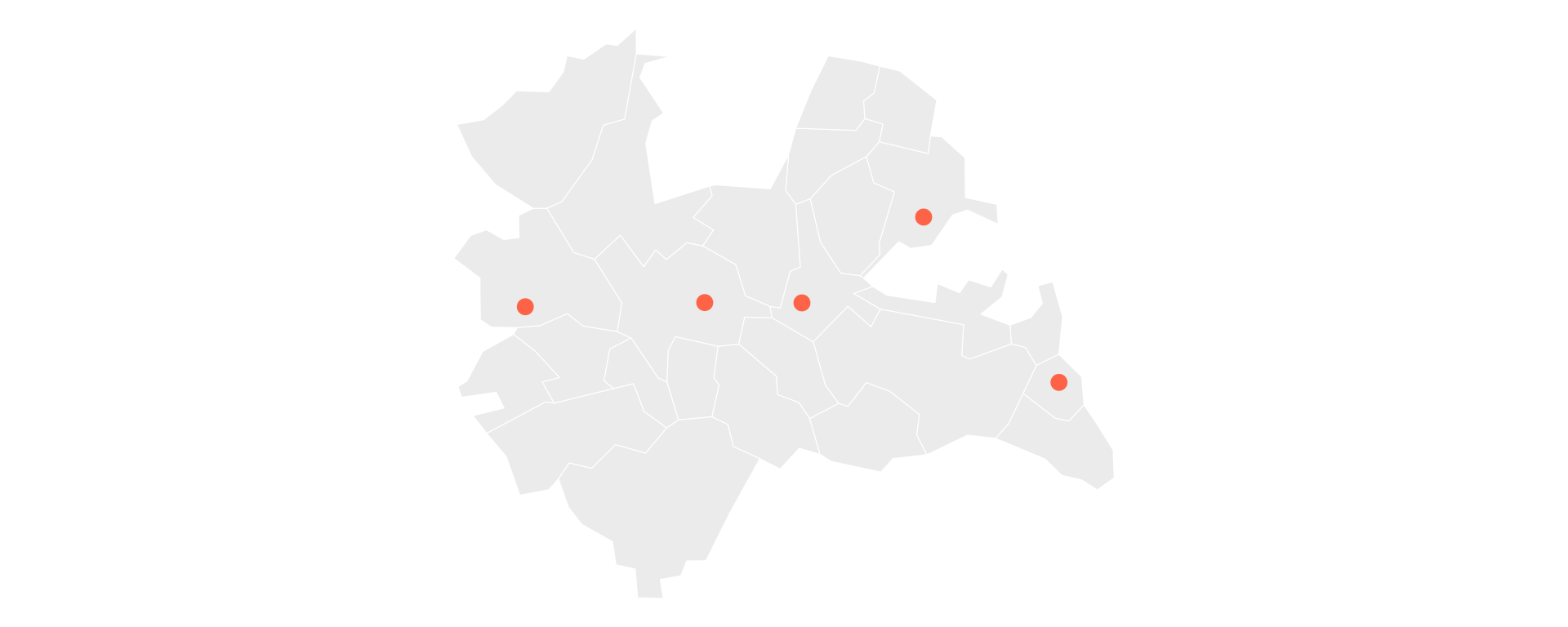
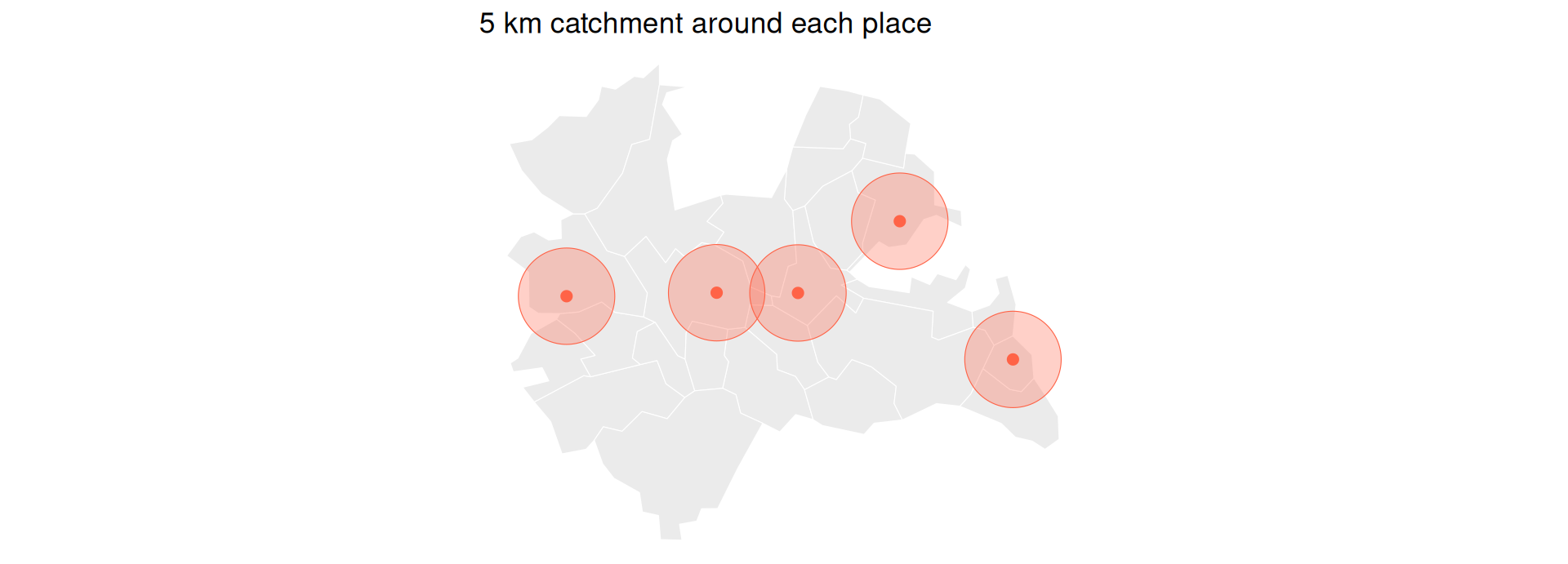
First part: introduction to spatial data – vector data and raster data.
Second part: geocomputation using vector data.
Introduction to Spatial Data
What is Spatial Data?
Economics increasingly recognizes that location matters.
Housing prices, regional development, trade patterns, labor markets all have spatial dimensions.
Traditional regression analysis often ignores spatial relationships.
Spatial data allows us to ask: Where do economic phenomena occur and why?
Spatial data is data includes geographic or location information.
Two main types:
Vector data: Points, lines, and polygons (e.g., cities, roads, country borders).
Raster data: Grid-based continuous surfaces (e.g., temperature maps, elevation, population density).
Examples in economics: census tracts, store locations, satellite imagery of nighttime lights (economic activity proxy).
Vector vs. Raster Data
Vector data: represents things with points, lines and polygons.
Vector data can scale and stretch and transform those easily with mathematical operations.
Can increase precision to arbitrary levels (can always zoom in futher).
It allows allows us to ask questions about statial relations, such as what is the area of an object, what is the distance from one object to another, or which objects border other objects.
Raster data: fixed-size tiles or cells (like a mosaic, or like pixels), which form a grid with a fixed resolution.
Raster data is like an image with geo-coded pixels.
Satellite images, for example, are usually released in the form of raster data.
Other examples of raster data include population density images, species occurence data, and meteorological data.
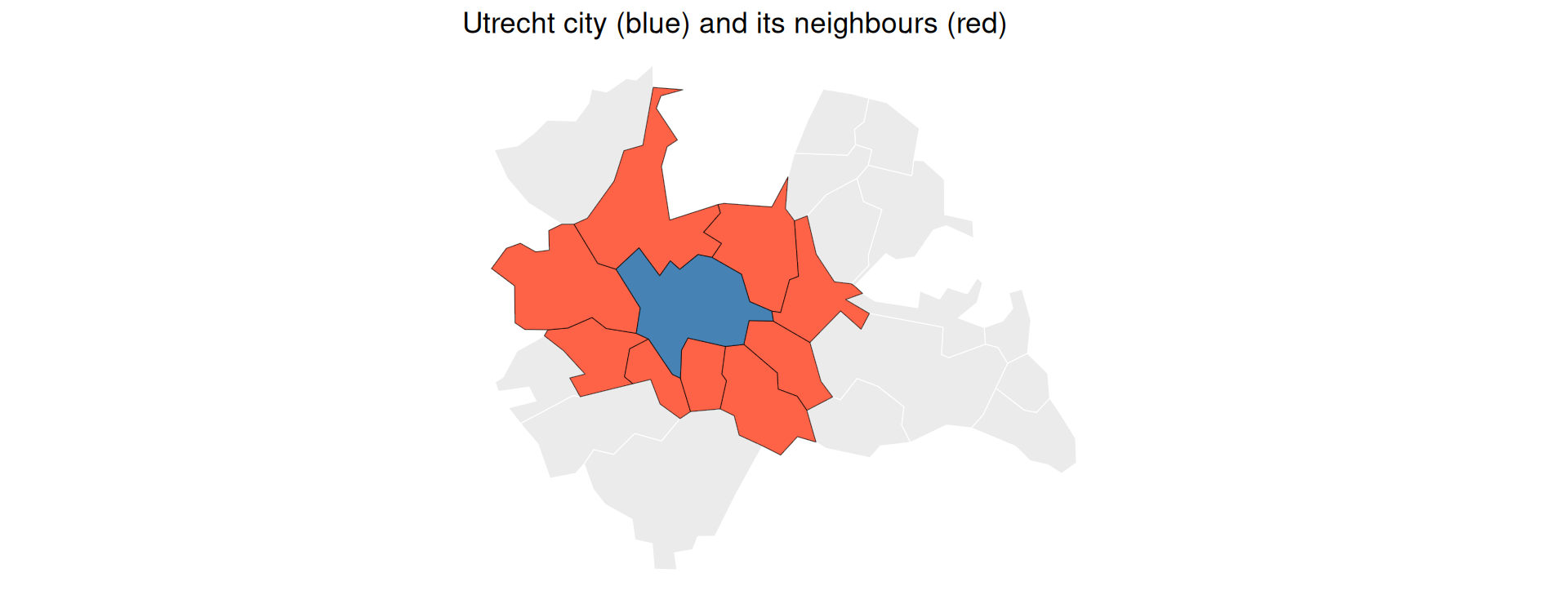
Example Vector Data
Example Raster Data
R for Spatial Analysis
Open-source and reproducible research
Rich ecosystem of spatial packages
Seamless integration with econometric tools
Active community and extensive documentation
Two key packages we’ll focus on:
sf: Simple Features for vector data
stars: Spatiotemporal Arrays for raster data
The sf Package: Simple Features
Modern replacement for older spatial packages (sp, rgdal).
Integrates smoothly with the tidyverse set of libraries.
Treats spatial data as data frames with a special geometry column.
Follows international standards (Open Geospatial Consortium).
Makes spatial operations feel like regular data manipulation.
In Economics, you might have two spatial datasets often don’t share a common ID.
For example, you have house coordinates (points) and school districts (polygons). You want to know which district each house belongs to.
This requires a Spatial Join.
Joining a spatial data.frame with another data.frame using the _join() functions
Example: Spatial Join
Let’s create some random points (simulating firms) and join them to the counties.
# Create 5 random points over the NC areafirms <-st_sample(nc, 5) |>st_as_sf()plot(st_geometry(nc), col ="lightgray", border ="white")plot(firms, add =TRUE, col ="red", pch =19, cex =1.5)
# Perform spatial join: Which county is each firm in?firms_with_county <-st_join(firms, nc)# Now the points have the county attributesfirms_with_county
Let’s simulate the location of several stores over the nc counties and investigate whether the revenue of stores in high-birth counties is higher than the revenue of stores in low-birth counties.
library(sf)library(dplyr)# Built-in NC counties (polygons)nc <-st_read(system.file("shape/nc.shp", package ="sf"), quiet =TRUE)# Simulate retail stores as county centroidsstores <-st_sample(st_union(nc), size=nrow(nc)) |>st_as_sf(coords="x") |>mutate(store_id =1:nrow(nc), revenue =runif(nrow(nc), 50, 200))plot(st_geometry(nc), col ="lightgray", border ="white")plot(stores, add =TRUE, col ="red", pch =19, cex =1.5)
The function st_intersects(A, B) returns an \(n \times m\) matrix, where row \(i\) = feature i in A, column \(j\) = feature j in B, and the value = TRUE if they intersect.
# Identify high-birth counties (top quartile of births as proxy)nc <- nc |>mutate(high_birth = BIR74 >quantile(BIR74, 0.75))# Which stores fall INSIDE high-birth counties?intersection_matrix <-st_intersects( stores, nc[nc$high_birth, ], sparse =FALSE)# Add result to stores datastores <- stores |>mutate(in_hb_area =rowSums(intersection_matrix) >0)# Do stores in high-birth counties have more revenue?stores |>st_drop_geometry() |>summarise(avg_revenue_all =mean(revenue),avg_revenue_hb =mean(revenue[in_hb_area]) )
R also has packages that allow us to geocode place names or addresses: the osmdata package can be used to convert names to geographic coordinates.
Use the getbb() function to “Google” for a place
library(osmdata, quietly=TRUE)utrecht <-getbb("Utrecht, The Netherlands")utrecht
min max
x 4.970096 5.195155
y 52.026282 52.142051
Working With Vector Data: No Data?
Either get the polygon or the centroid.
Turn it into a spatial data.frame using st_as_sf().
# Pick the center of this bounding boxcentroid <-data.frame(x=(utrecht[1,1]+utrecht[1,2])/2, y = (utrecht[2,1]+utrecht[2,2])/2)# Transform it into sf format:st_as_sf(centroid, coords =c('x', 'y'), crs='wgs84')
Simple feature collection with 1 feature and 0 fields
Geometry type: POINT
Dimension: XY
Bounding box: xmin: 5.082626 ymin: 52.08417 xmax: 5.082626 ymax: 52.08417
Geodetic CRS: WGS 84
geometry
1 POINT (5.082625 52.08417)
Raster Data
The stars Package
stars = spatiotemporal arrays
Designed for working with data cubes (multi-dimensional arrays)
Handles both spatial and temporal dimensions
Integration with the tidyverse and sf packages
library(stars)
Reading Raster Data
Use read_stars() to load raster files
Supports many formats: GeoTIFF, NetCDF, and more
# Read a satellite imagetif <-system.file("tif/L7_ETMs.tif", package ="stars")landsat <-read_stars(tif)landsat
stars object with 3 dimensions and 1 attribute
attribute(s):
Min. 1st Qu. Median Mean 3rd Qu. Max.
L7_ETMs.tif 1 54 69 68.91242 86 255
dimension(s):
from to offset delta refsys point x/y
x 1 349 288776 28.5 SIRGAS 2000 / UTM zone 25S FALSE [x]
y 1 352 9120761 -28.5 SIRGAS 2000 / UTM zone 25S FALSE [y]
band 1 6 NA NA NA NA
Understanding stars Objects
A stars object contains:
Attributes: The data values (e.g., reflectance, temperature)
Dimensions: Information about x, y, time, bands, etc.
from/to: Index range
offset: Starting coordinate
delta: Cell size (can be negative for y!)
refsys: Coordinate reference system
Visualizing Raster Data
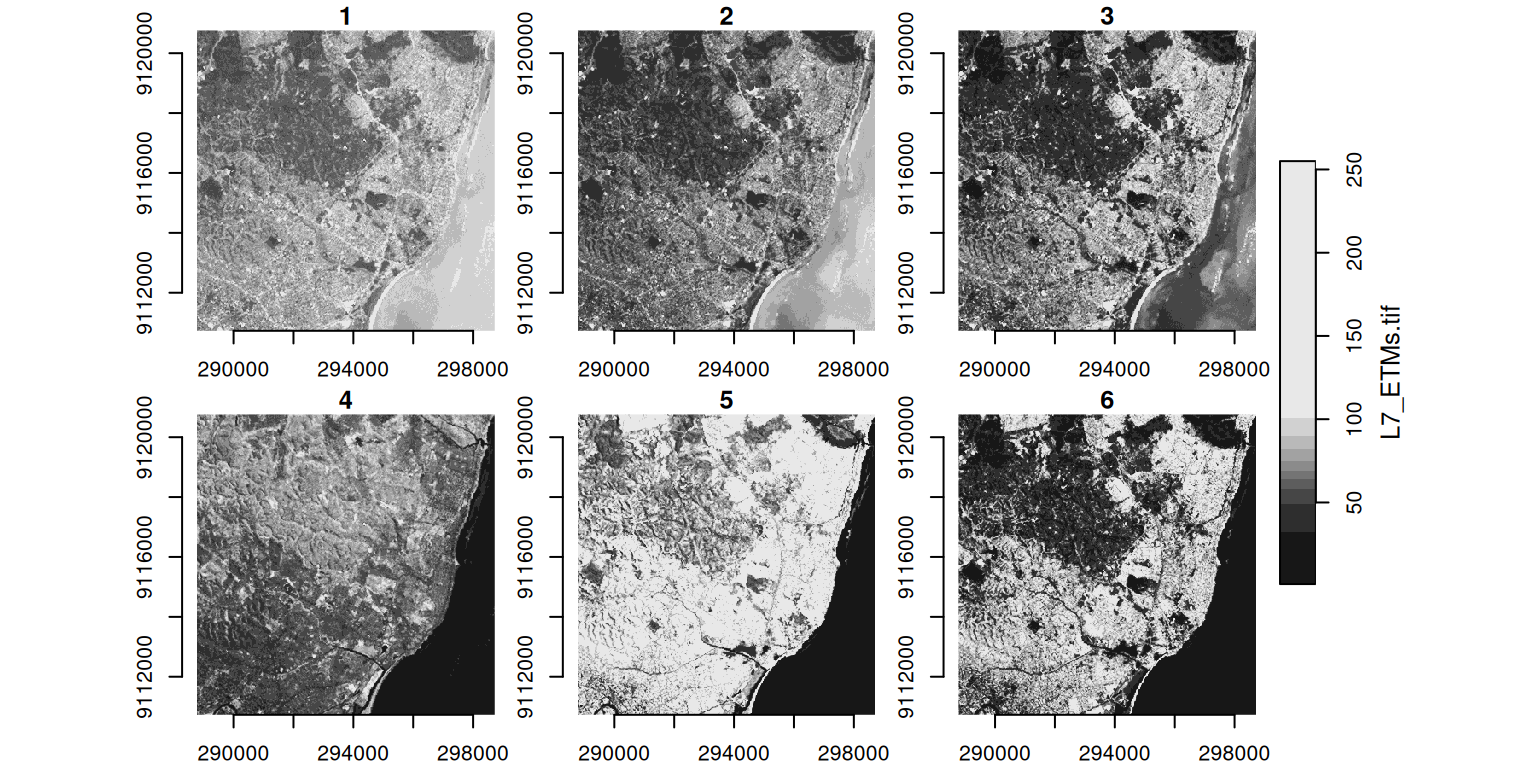
By default, plots all bands/attributes
Can subset to specific bands or regions
# Simple plotplot(landsat, axes =TRUE)
Visualizing Raster Data
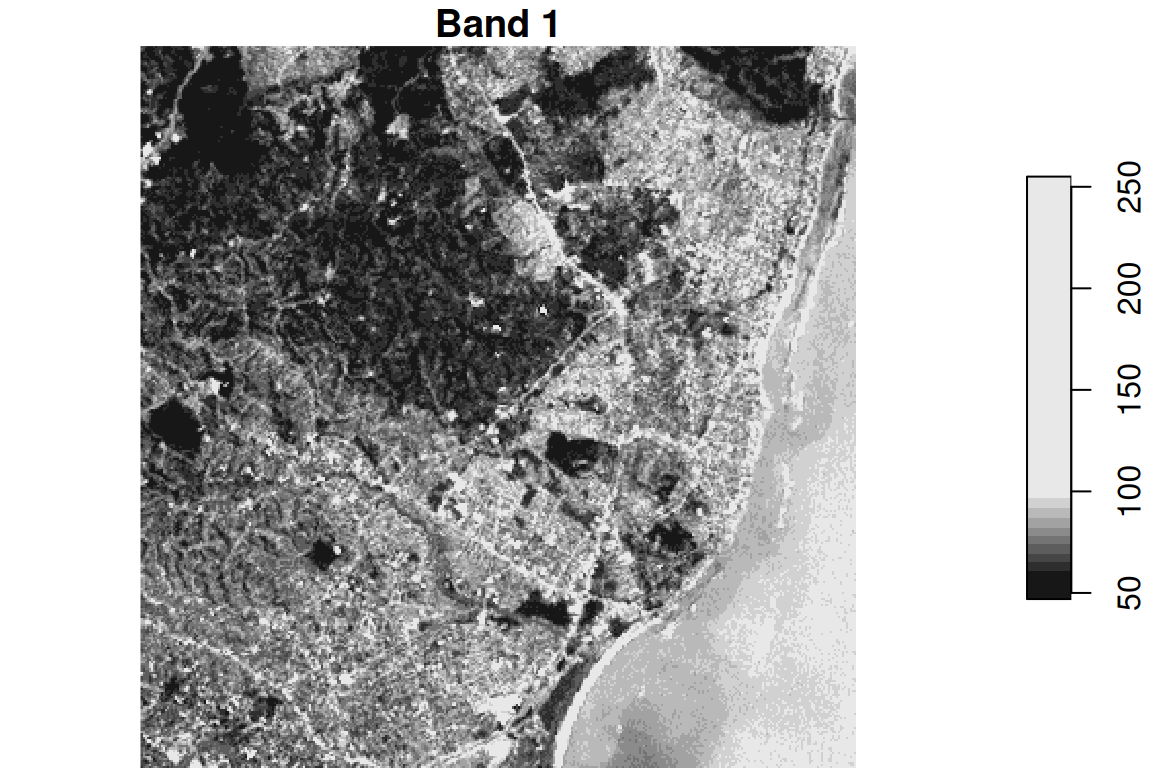
A band is a single “layer” of light that a satellite camera captures.
Just like your phone camera has sensors for red, green, and blue light to make a color photo, satellites capture many layers — including light our eyes can’t see.
# Plot a single band# Select all attributes, x and y coordinates, and 1st bandplot(landsat[,,,1], main ="Band 1")
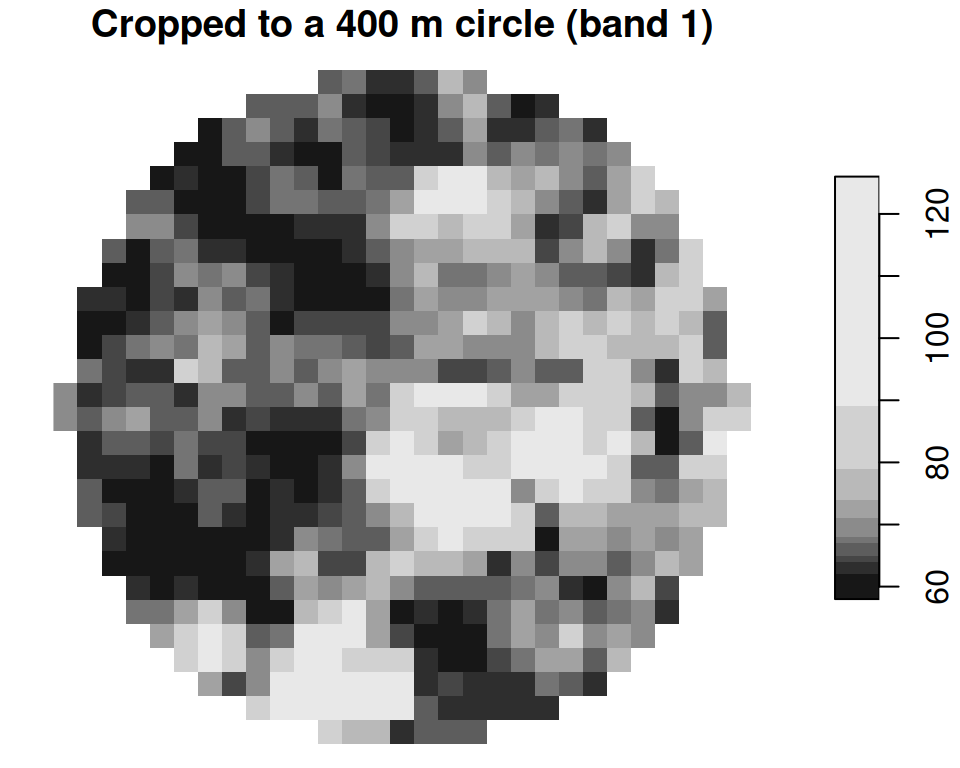
Subsetting Rasters
There are three main approaches to select a subset of a raster:
# By attribute and dimensionslandsat["L7_ETMs.tif", 1:100, 1:100, 1:3]
stars object with 3 dimensions and 1 attribute
attribute(s):
Min. 1st Qu. Median Mean 3rd Qu. Max.
L7_ETMs.tif 23 44 57 55.85393 65 235
dimension(s):
from to offset delta refsys point x/y
x 1 100 288776 28.5 SIRGAS 2000 / UTM zone 25S FALSE [x]
y 1 100 9120761 -28.5 SIRGAS 2000 / UTM zone 25S FALSE [y]
band 1 3 NA NA NA NA
It is also easy to add new attributes on the basis of existing ones, and to split stars objects according to attribute.
# Extract array directlyclass(landsat[[1]])
[1] "array"
dim(landsat[[1]])
x y band
349 352 6
# Add new attributeslandsat$normalized <- landsat[[1]] /255# Split bands into separate attributeslandsat_split <-split(landsat, "band")
Raster Time Series
stars excels at handling temporal data
NetCDF files often contain time series
# Read climate data with time dimensionnc_file <-system.file("nc/bcsd_obs_1999.nc", package ="stars")climate <-read_stars(nc_file, quiet =TRUE)climate
stars object with 3 dimensions and 2 attributes
attribute(s):
Min. 1st Qu. Median Mean 3rd Qu. Max. NA's
pr [mm/m] 0.5900000 56.139999 81.88000 101.26433 121.07250 848.54999 7116
tas [C] -0.4209678 8.898887 15.65763 15.48932 21.77979 29.38581 7116
dimension(s):
from to offset delta refsys values x/y
x 1 81 -85 0.125 NA NULL [x]
y 1 33 37.12 -0.125 NA NULL [y]
time 1 12 NA NA POSIXct 1999-01-31,...,1999-12-31
Extracting Information
# Get dimension valuesst_get_dimension_values(climate, "time")
geodata facilitates access to climate, crops, elevation, land use, soil, species occurrence, accessibility, administrative boundaries and other data.
rWBclimate - Access World Bank climate data with spatial components, relevant for climate-development nexus research.
Population:
The wopr package provides access to the WorldPop Open Population Repository and provides estimates of population sizes for specific geographic areas.
rnaturalearth provides vector map data, including country boundaries, states/provinces, populated places, and geographic features.
spData contains diverse spatial datasets including economic and demographic data. It has vector datasets useful for development economics analysis.
There is much more out there, see e.g. my website.
R Packages with Raster Data
Climate & Weather:
easyclimate provides easy access to daily temperature and precipitation data across Europe. ncdf4 is used for handling NetCDF files, common for European climate models.
clc allows for the download and analysis of the CORINE Land Cover (CLC) dataset, which covers European countries.
Elevation:
elevatr fetches elevation data (DEM) which can be clipped to European extents.
Environmental Data:
rasterdiv is used for calculating landscape diversity indices, often applied in European ecological studies.
Infrastructure:
GHSL (Global Human Settlement Layer) provides raster data on human presence in Europe.
Example: Aggregating Rasters
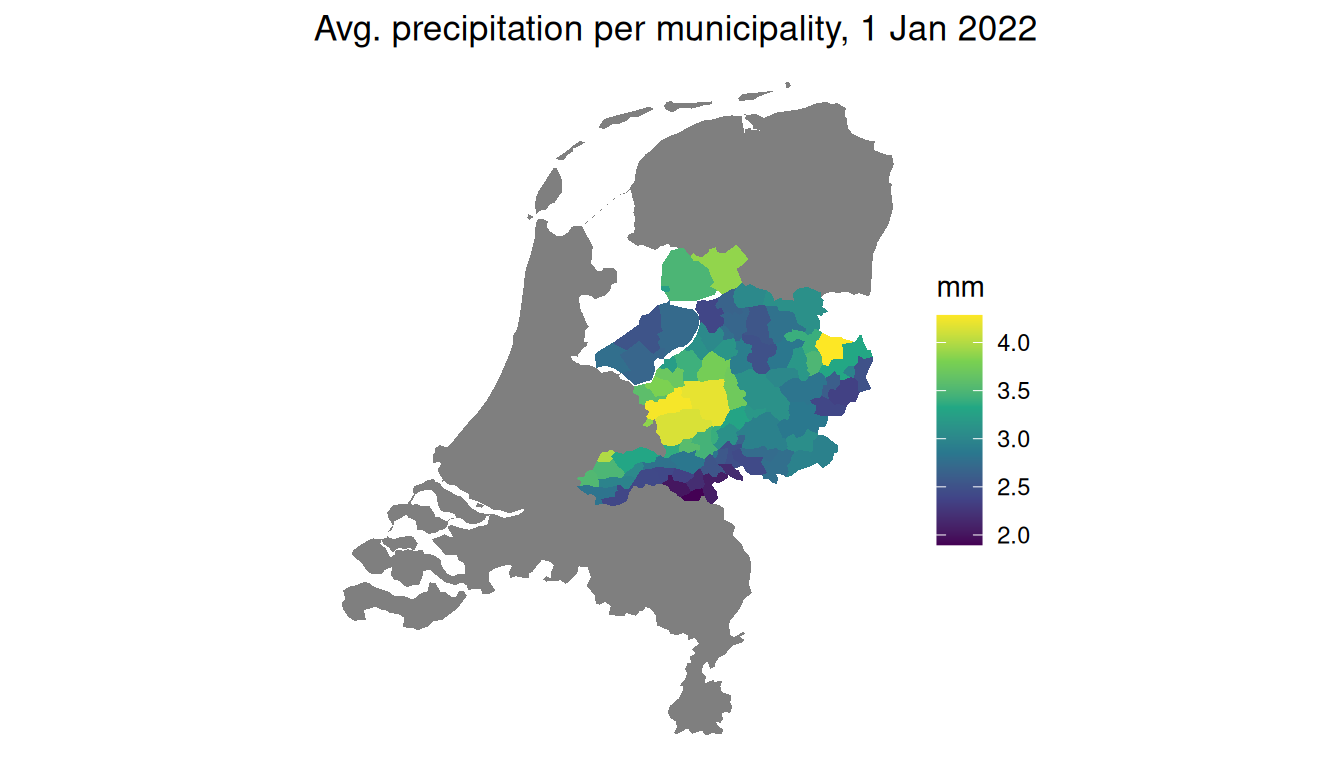
Example: Aggregating Raster over Polygon
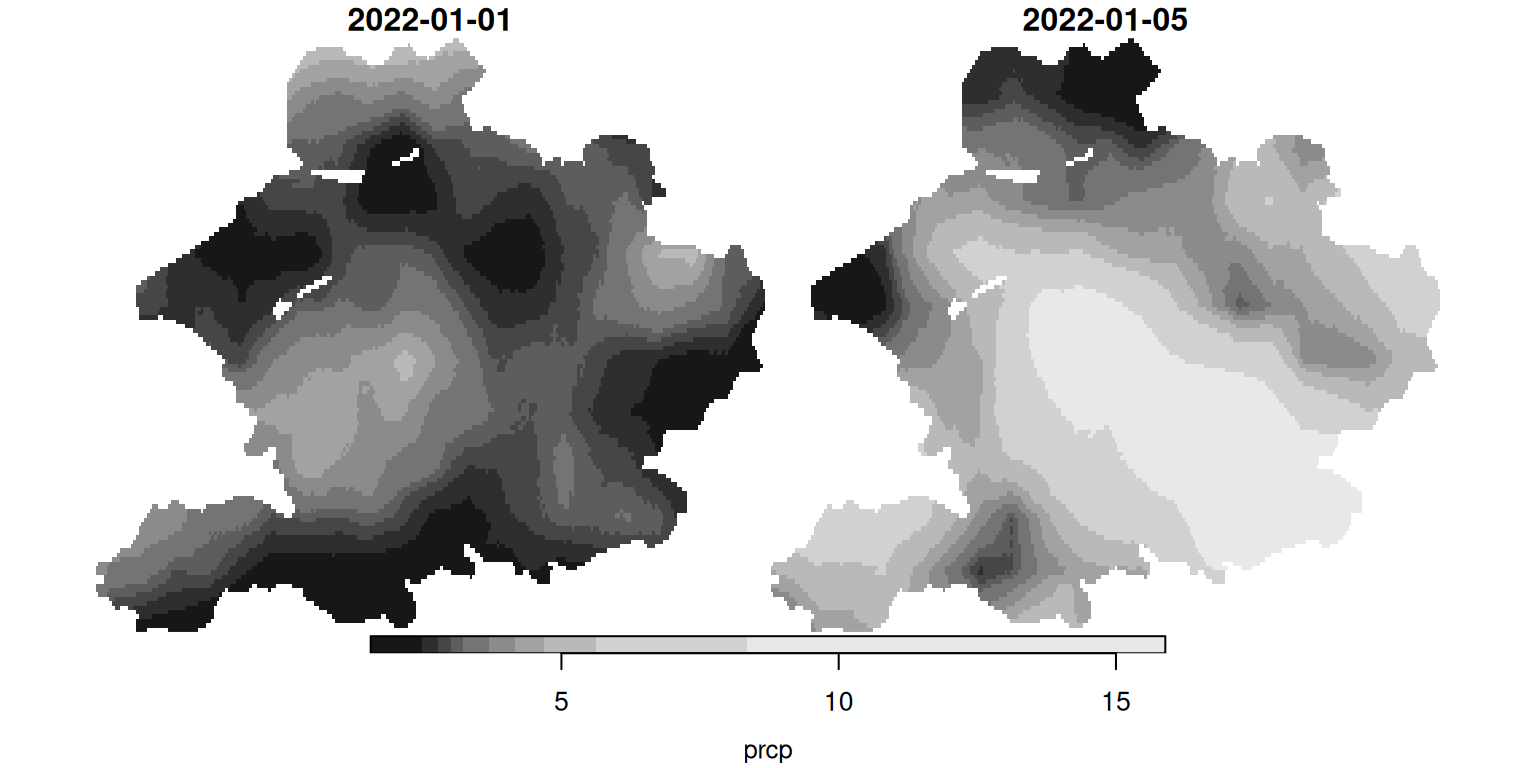
library(easyclimate); library(cbsodataR)# Select a part of the Netherlandspolygons_nl <-cbs_get_sf("nuts1", 2016) |>st_transform('wgs84') |> dplyr::filter(statcode=='NL2')# Get climate data for this partclimate_nl <-get_daily_climate( polygons_nl, climatic_var ="Prcp",period =c("2022-01-01", "2022-01-05"),output ='raster') |>st_as_stars()# Change the name of the value variable to prcp (precipitation)names(climate_nl) <-'prcp'# Select only the precipitation of 5 Januaryclimate_nl[,,,'2022-01-05']
stars object with 3 dimensions and 1 attribute
attribute(s):
Min. 1st Qu. Median Mean 3rd Qu. Max. NA's
prcp 1.56 4.04 5.06 5.96972 7.36 15.89 13943
dimension(s):
from to offset delta refsys values x/y
x 1 249 5 0.008333 WGS 84 NULL [x]
y 1 135 52.86 -0.008333 WGS 84 NULL [y]
band 2 2 NA NA NA 2022-01-05
# Plot the precipiation of both 1 and 5 Januaryplot(climate_nl)
# Aggregate the precipitation of 1 January to a Municipality levelpolygons_gemeenten <-cbs_get_sf("gemeente", 2016) |>st_transform('wgs84')result <-aggregate(climate_nl[,,,'2022-01-01'], polygons_gemeenten, mean)plot(result)
# Put it back in raster dataframepolygons_gemeenten$precipitation <- result$prcp
Uses a spatial regression discontinuity design across the boundary of a forced labor catchment area (the mita) in Peru to show that historical extractive institutions lower household consumption and stunt growth even centuries later.
Exploits spatial variation in the rollout of the Dutch Cultivation System in Java to find that areas near historical sugar factories are wealthier today due to persistent infrastructure and industrialization.
Tracks the historical moving frontier line across the U.S. to demonstrate that longer exposure to frontier conditions generates a persistent culture of individualism and opposition to redistribution.
Analyzes the spatial distribution of folklore motifs across roughly 1,000 societies to show how oral traditions reflect and shape persistent cultural values like risk aversion and trust.
Leverages random spatial and temporal variation in the dates of saint day festivals in Mexico to show that festivals coinciding with planting seasons lower long-run income by crowding out agricultural investment.
Uses distance to historical Jesuit missions in Argentina, Brazil, and Paraguay to show that areas closer to missions have higher modern literacy and income due to the persistent transmission of human capital and occupational skills.
Exploits the spatial boundary of the Broad Street water pump catchment area in 1854 London (famous from John Snow’s map) to show that the localized cholera outbreak caused a permanent neighborhood downgrade as the wealthy fled and poverty became entrenched.
Recapitulation
Recapitulation
Location matters in economics:
Spatial relationships (proximity, contiguity, distance) often drive economic phenomena—ignoring them risks omitted variable bias and misspecified models.
Two fundamental data models:
Vector data (points/lines/polygons) for discrete features—ideal for administrative boundaries, firm locations, and networks.
Raster data (gridded cells) for continuous surfaces—essential for satellite imagery, climate variables, and density measures.
Always verify coordinate reference systems before analysis. Geographic CRS (lat/lon) ≠ projected CRS (meters)—mismatched CRS causes silent errors in distances, areas, and joins.
Recapitulation
Spatial operations enable economic questions:
Spatial joins link observations without shared IDs (e.g., firms → districts).
Buffers define zones of influence (e.g., market catchments).
sf (vector) and stars (raster) enable spatial analysis that’s transparent, scriptable, and publication-ready.
Begin with vector operations (joins, centroids, buffers) before advancing to raster/time-series analysis. Most economic applications live in the vector world.